Importing Virtual Machine
The Import VM feature allows administrators to migrate existing virtual machines from supported cloud providers into your current infrastructure. This streamlined process maintains your VM configurations while enabling flexible deployment options and billing management within Stack Console.
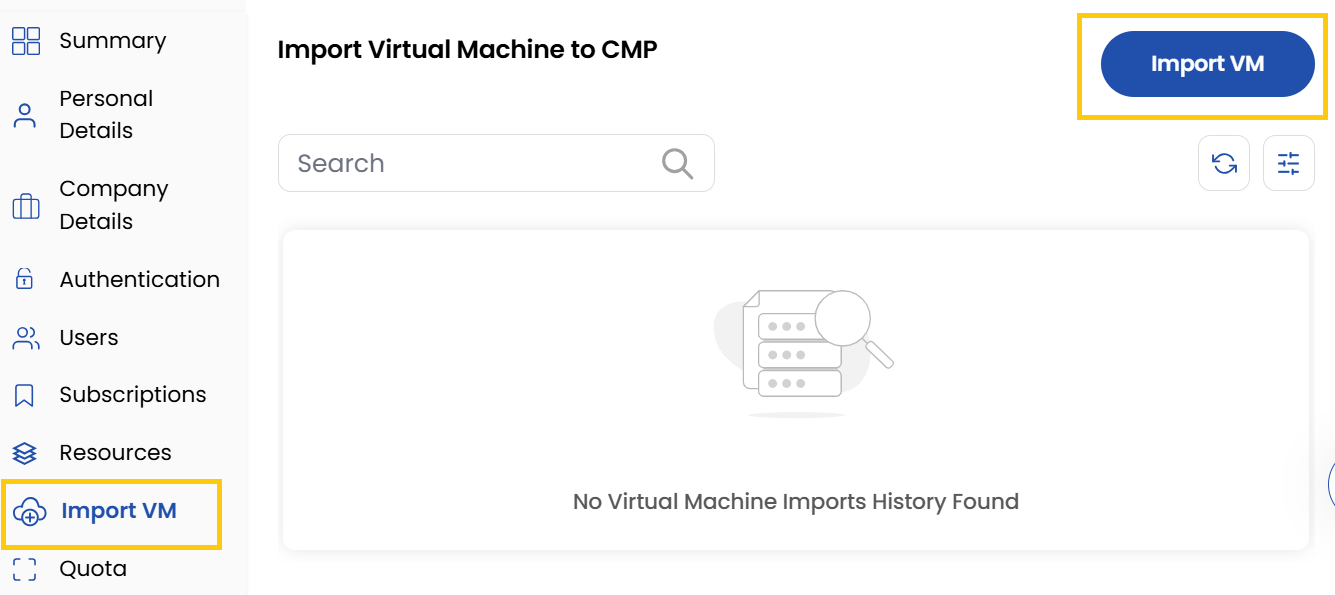
- The Import VM tab shows the imported virtual machines list.
- Click on Import VM to import a virtual machine.
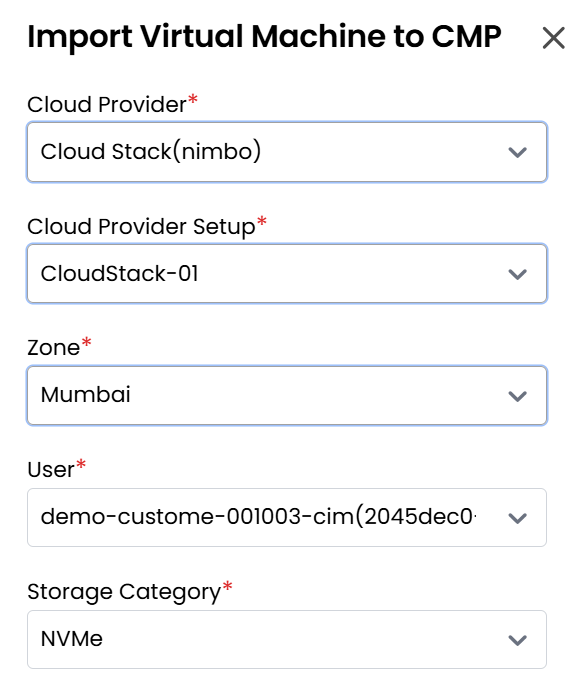
- Select the Cloud Provider and the corresponding Cloud Provider Setup.
- Choose the Zone where you want your server to be hosted and select the User for the project.
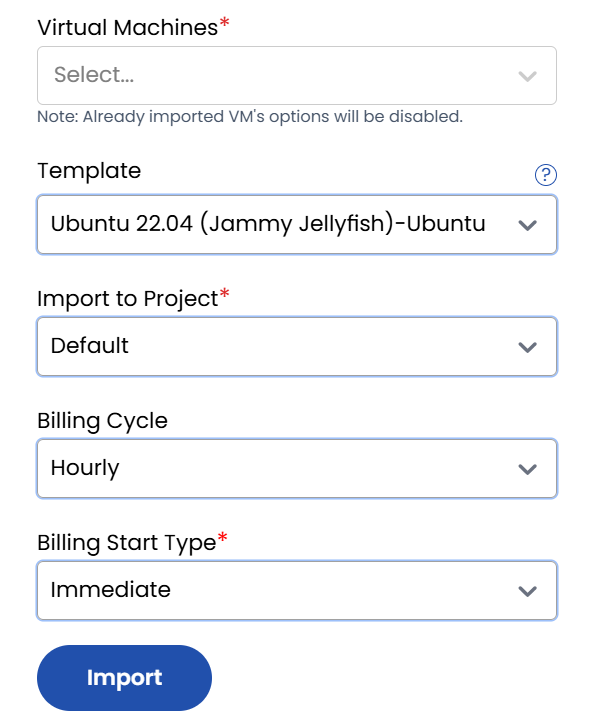
- Select the Storage, Virtual Machine, Template, and Project you wish to import.
- Choose the desired Billing Cycle (Hourly, Monthly, or Yearly) and select the Billing Start Type.
- Click on Import to complete the import process successfully.
Conclusion
The Import VM feature enables seamless migration of virtual machines from various cloud providers with flexible billing options and deployment configurations.
tip
See also: